Family Health Tracking App

Your Family’s Health,
All in One Place

Track 90+ health tests, create your own custom tests, visualize trends with dynamic charts, and share care circles — all from one free app.

OneCareLog dashboard Health data entry Trend analysis Care circle Health reports Notifications
Family Tracking
PDF Reports
Bank-Level
Encryption
90+
Health Tests
Create
Custom Tests
Free
Forever
See It In Action

Watch How OneCareLog Works

A quick tour of how OneCareLog makes family health tracking effortless.
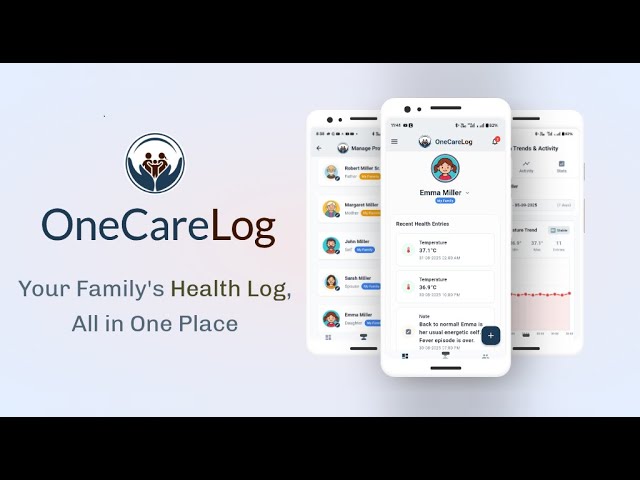
OneCareLog Explainer Video
Explainer · 2 min
New · AI Lab Report Reader

Snap a Lab Report. Let AI Do the Typing.

Upload a lab report as a PDF, image or Word file — OneCareLog reads it, extracts every reading, and hands you a draft to review. No more typing rows of numbers by hand.
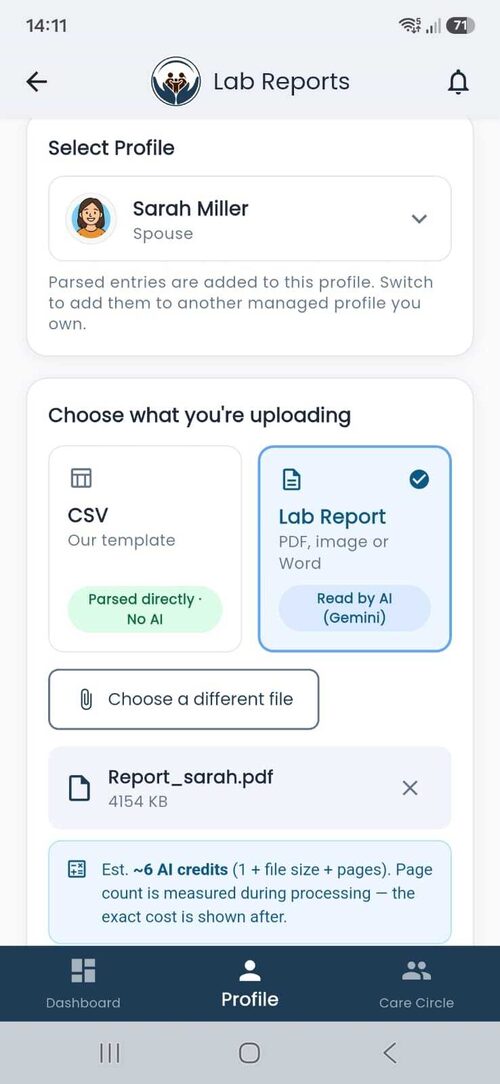
1
OneCareLog Lab Reports upload screen — pick a managed profile, choose CSV or Lab Report, and select a PDF, image or Word file

Upload a Lab Report

Pick a family profile, then upload a PDF, image or Word lab report for AI to read — or a CSV to parse directly with no AI.
2
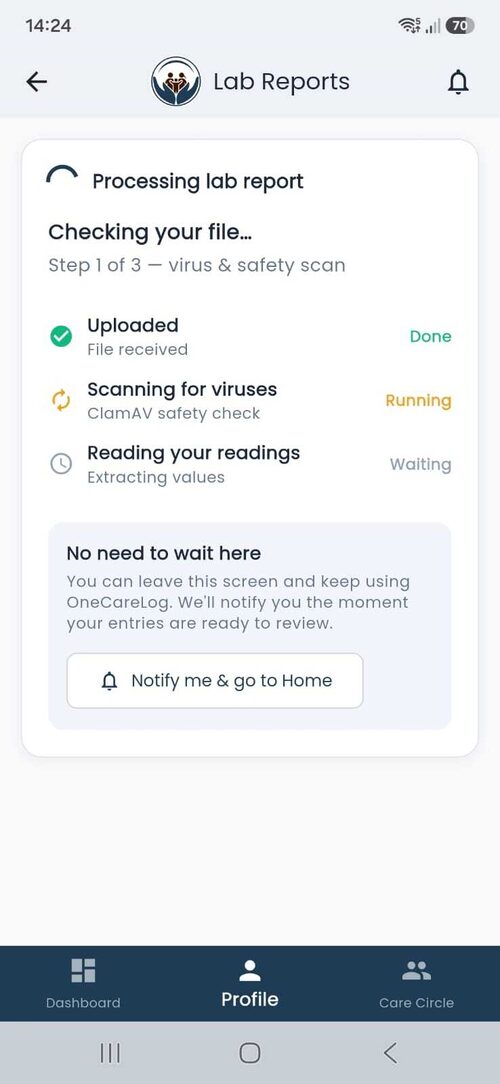
Processing lab report — file uploaded, ClamAV virus and safety scan running, then AI reading your readings

Secure Processing

Every file gets a ClamAV virus & safety scan before AI reads it. No need to wait — leave the screen and we’ll notify you.
3
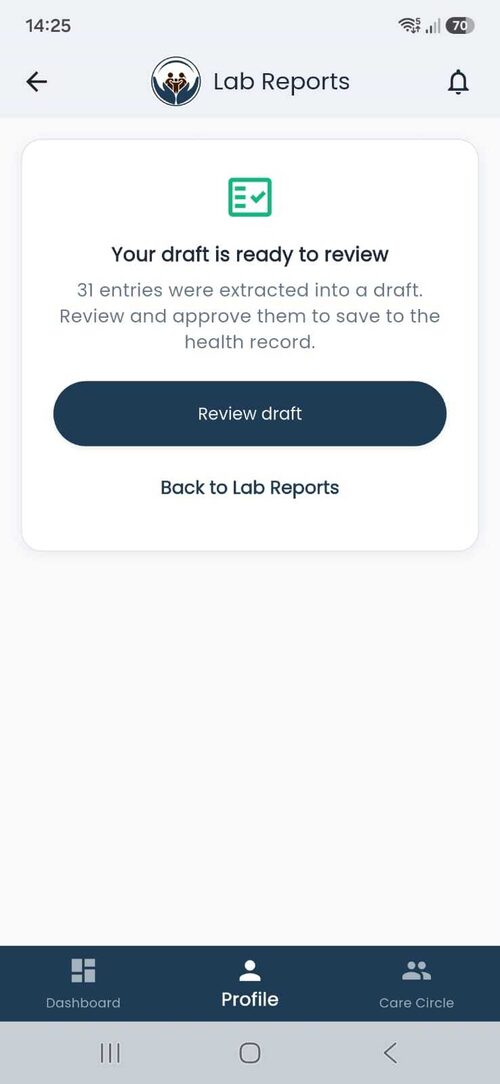
Your draft is ready to review — 31 entries were extracted into a draft to review and approve

Your Draft Is Ready

AI extracts every reading into a draft — e.g. 31 entries from one report — ready for you to review and approve.
4
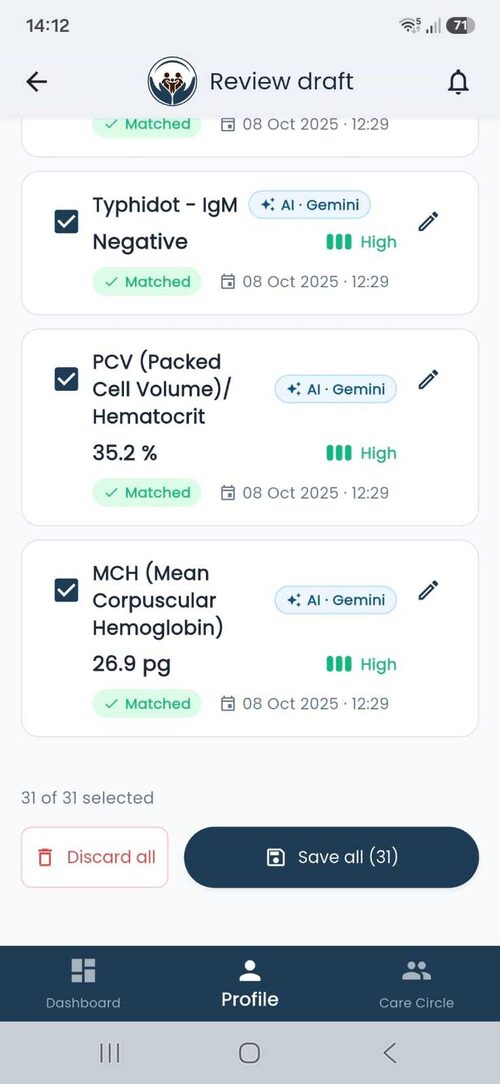
Review draft — per-entry cards with AI Gemini badge, High confidence, Matched status, edit and Save all

Review & Save

Check each value with its AI · Gemini badge and confidence level, edit anything, then Save all. You stay in control.
5
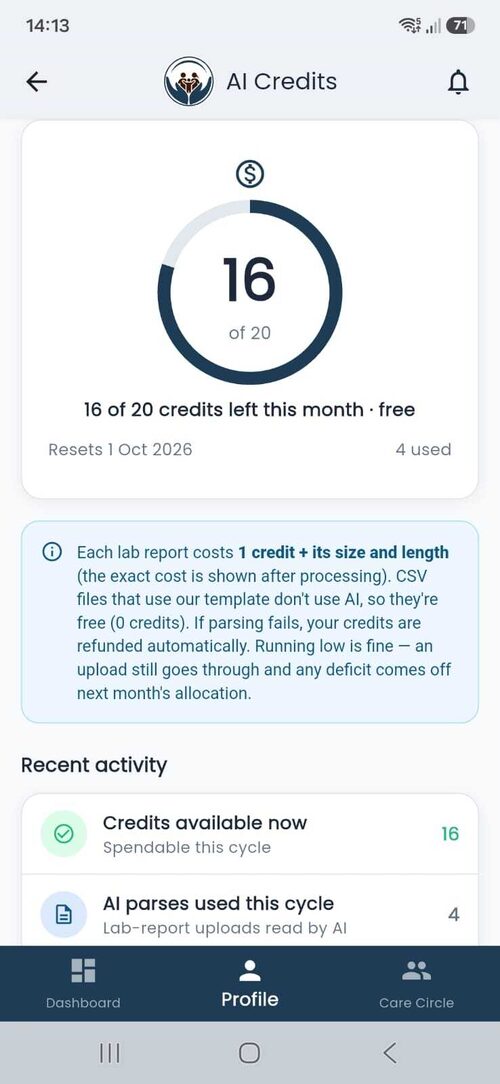
AI Credits screen — a circular gauge showing 16 of 20 credits left this month, free, resetting 1 Oct 2026, with 4 used; each lab report costs 1 credit plus its size and length, CSV files using our template are free, and credits are auto-refunded if parsing fails

Fair AI Credits

Generous free monthly credits. Template CSVs are always free (0 credits), failed parses are auto-refunded, and running low still lets your upload go through.

Features

Everything Your Family Needs

Simple, powerful tools to manage your family’s health — no medical degree required.

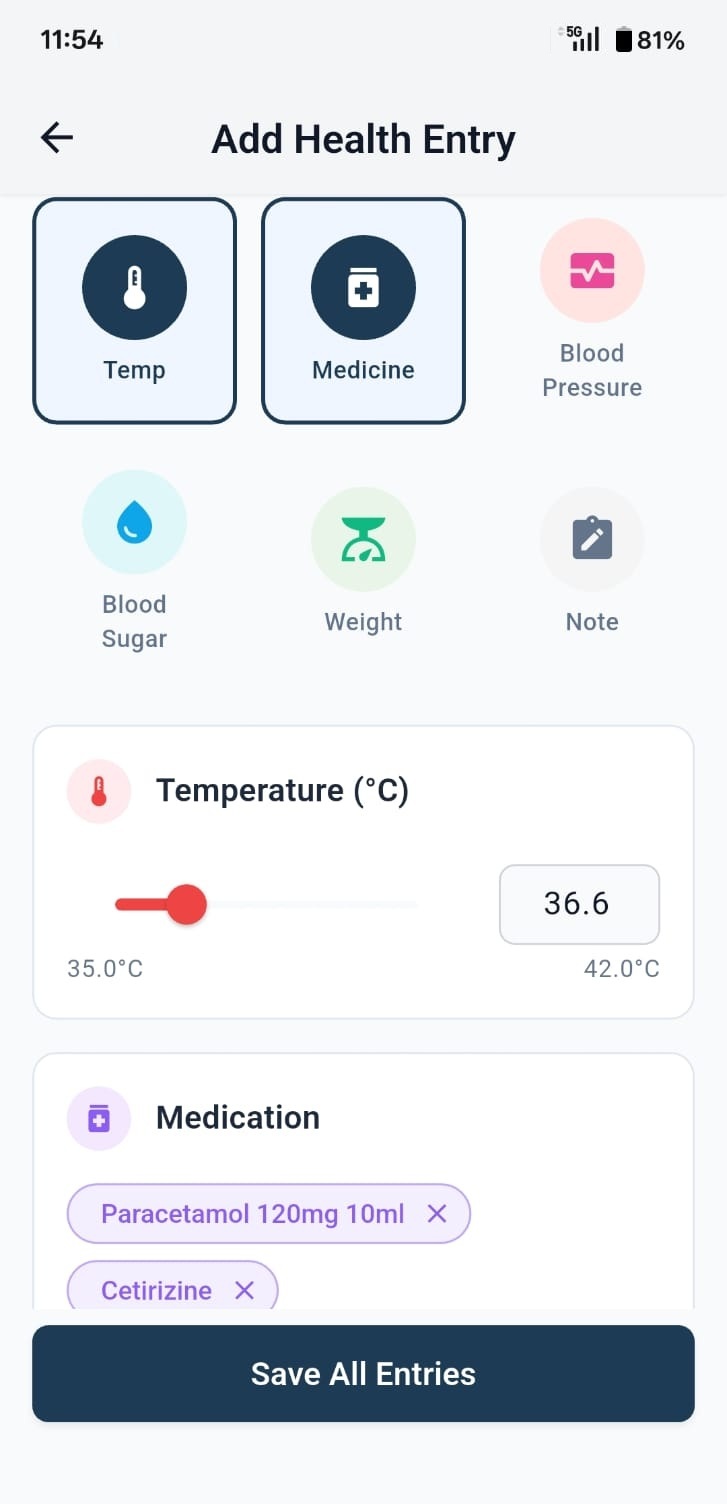
90+ Health Tests

Track everything from blood pressure and blood sugar to thyroid, cholesterol, liver function, and more. Smart forms adapt to each test with sliders, grouped inputs (SYS/DIA), and built-in unit conversion (°C↔°F, kg↔lbs, mg/dL↔mmol/L).

90+ health test entry with smart forms and unit conversion

Create Your Own Tests

Need to track something unique? Create custom health tests with your own name, unit, and value type. Your custom tests are private to your profile and appear alongside the built-in 90+ tests.

Create custom health tests for personalized tracking

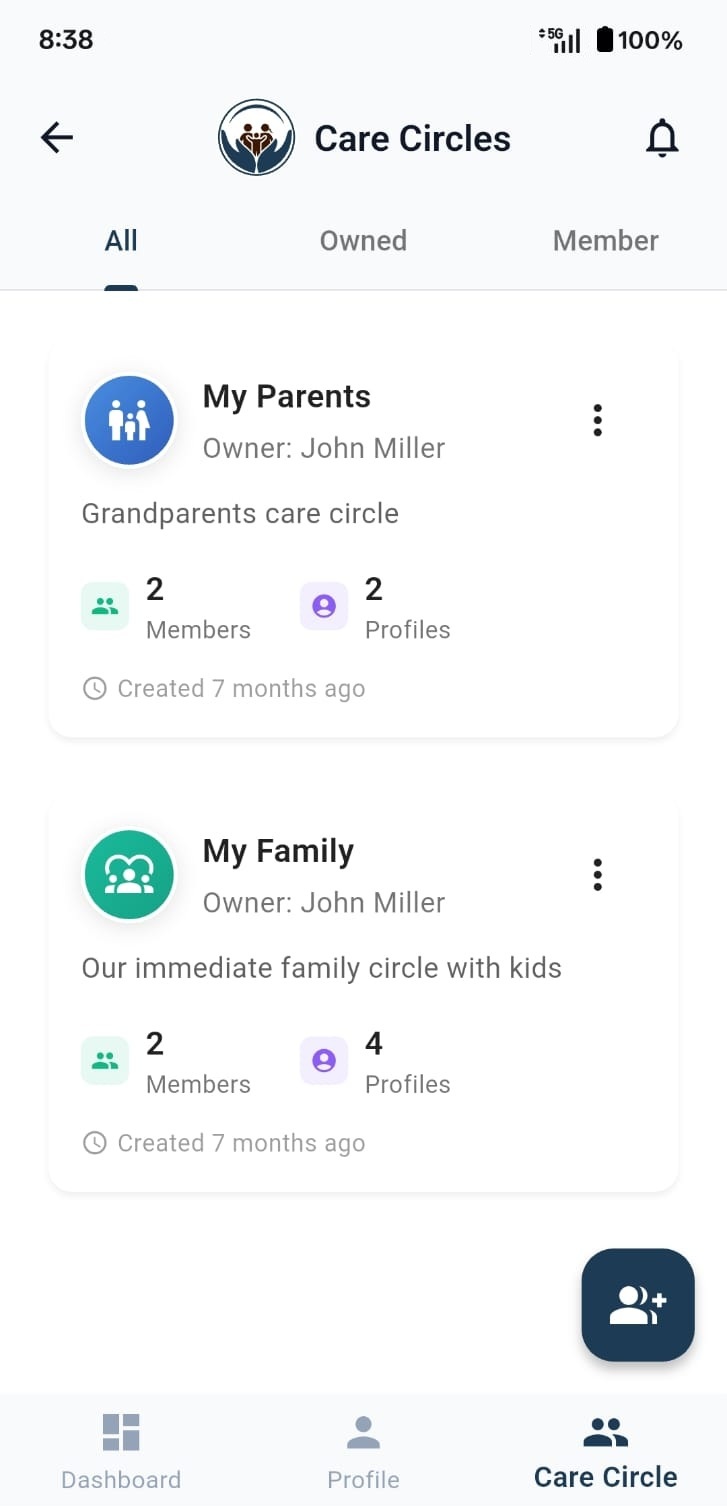
Family Care Circles

Create secure circles with family members and healthcare providers. Invite by email or create a username and password for members without email. Control who can view or edit health records with role-based access.

OneCareLog care circle for family health sharing

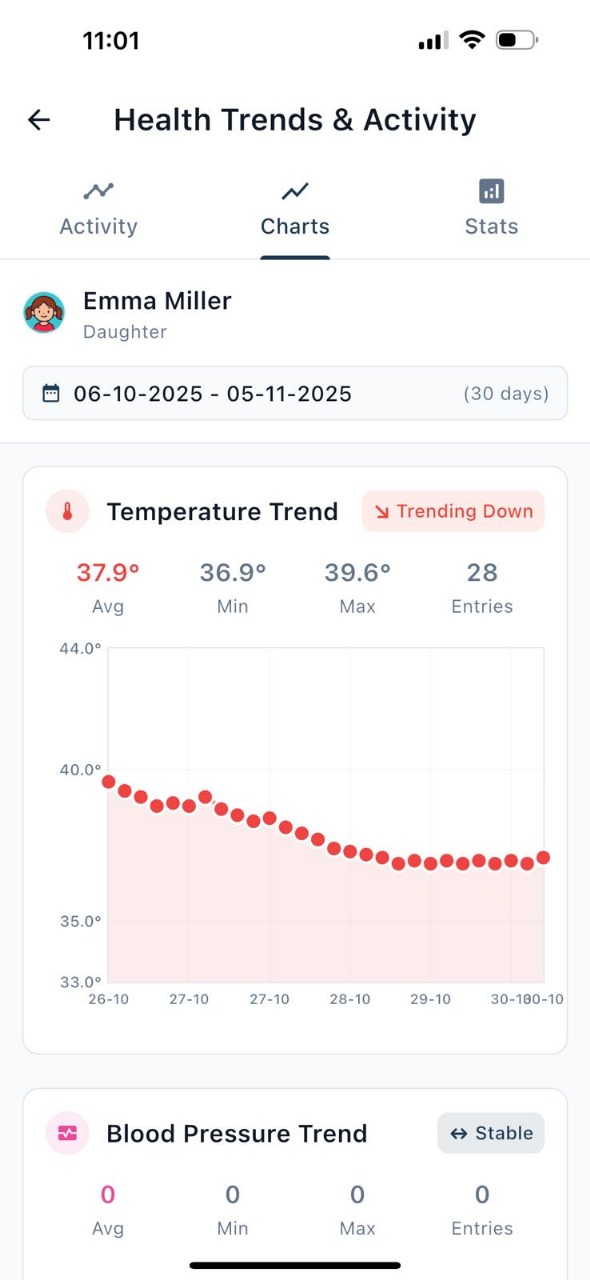
Dynamic Charts & Stats

Switch between Logs, Charts, and Stats in a single tabbed view. Create dynamic charts for any of the 90+ tests, see min/max/avg breakdowns, and filter by date range to spot patterns instantly.

Dynamic health charts with logs, stats, and date filtering

Smart PDF Reports

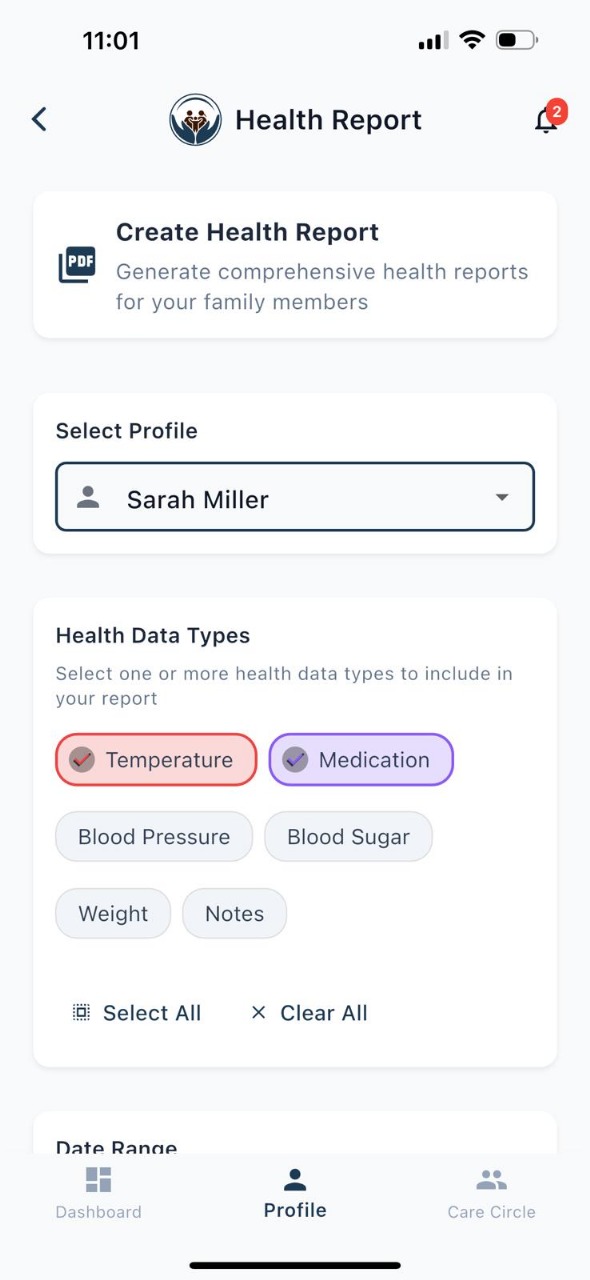
Generate comprehensive health reports with dynamic charts for every test you track. Choose which health types to include, preview the report, and download or share it with your doctor before every visit.

Smart PDF health report with dynamic charts

AI Lab Report Reader

Snap a lab report — AI (Gemini) reads it and drafts every value for you to review. Upload a PDF, image or Word report; each file is virus-scanned (ClamAV) before AI extracts the readings into a draft you check and save. Generous free monthly AI credits, template CSV uploads are free, and failed parses are auto-refunded. See how it works

AI lab report reader draft — per-entry cards with AI Gemini badge, confidence level, and Save all
How It Works

Get Started in 3 Steps

From download to your first health report in under 5 minutes.

1

Create Your Circle

Download the app, sign up, and add profiles for each family member you want to track.

2

Log Health Data

Choose from 90+ health tests or create your own. Log readings with smart forms, sliders, and built-in unit conversion.

3

Analyze & Share

View health trends, generate PDF reports, and share insights with your healthcare providers.

App Preview

Explore Every Screen

Designed for simplicity. Built for families.
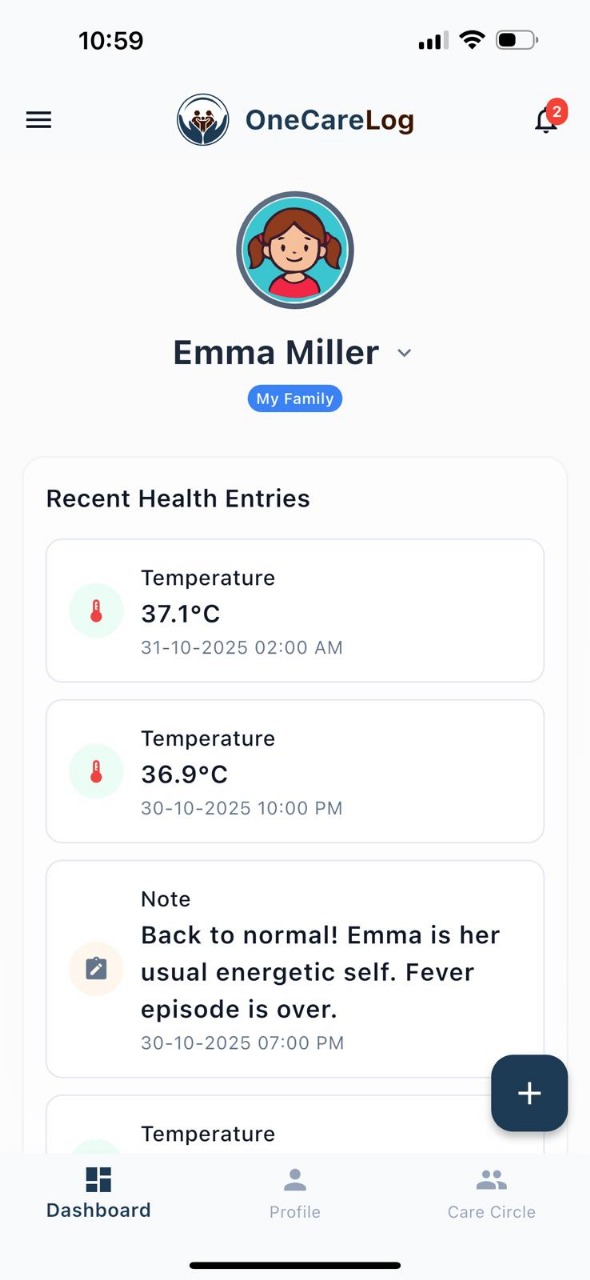
Family health dashboard overview
Dashboard
Quick health data entry
Log Vitals
Health trend analysis charts
Trends
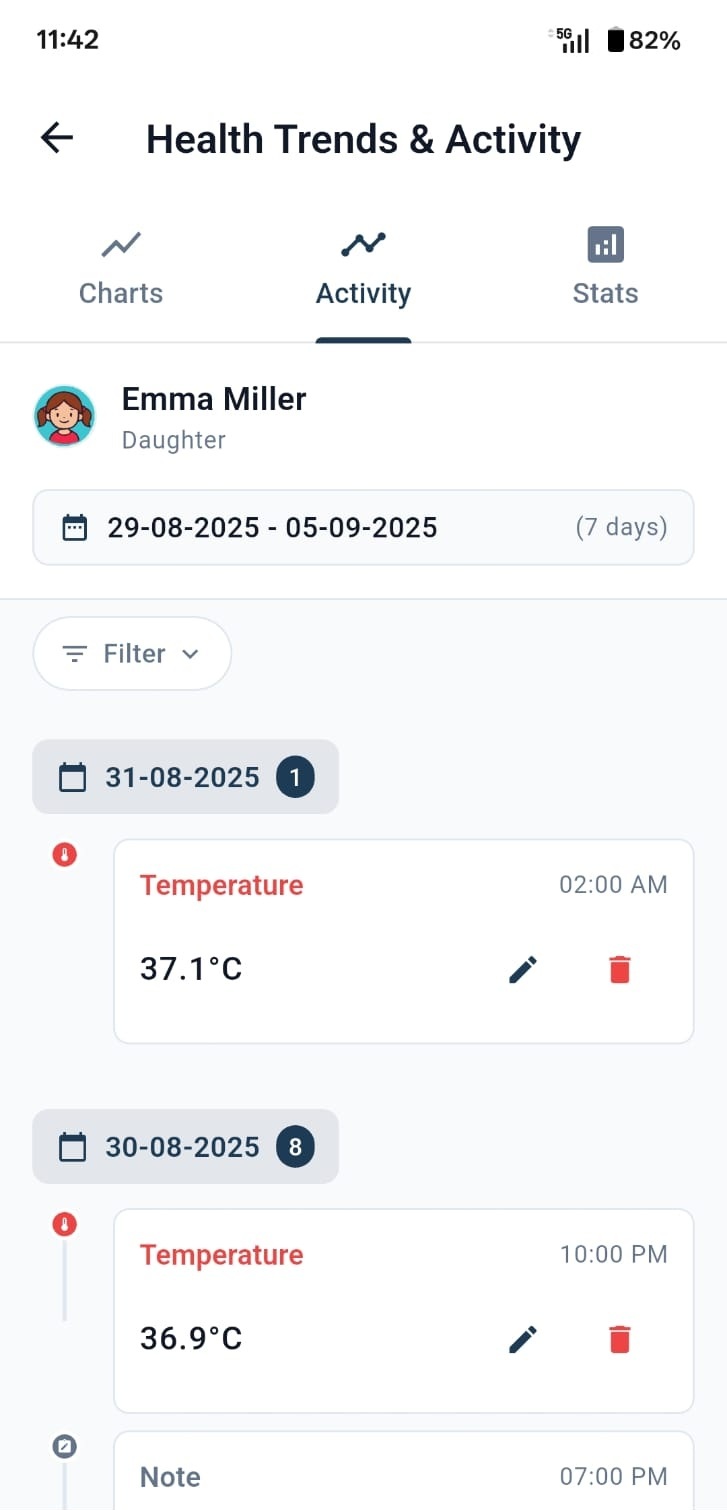
Health activity timeline
Activity Log
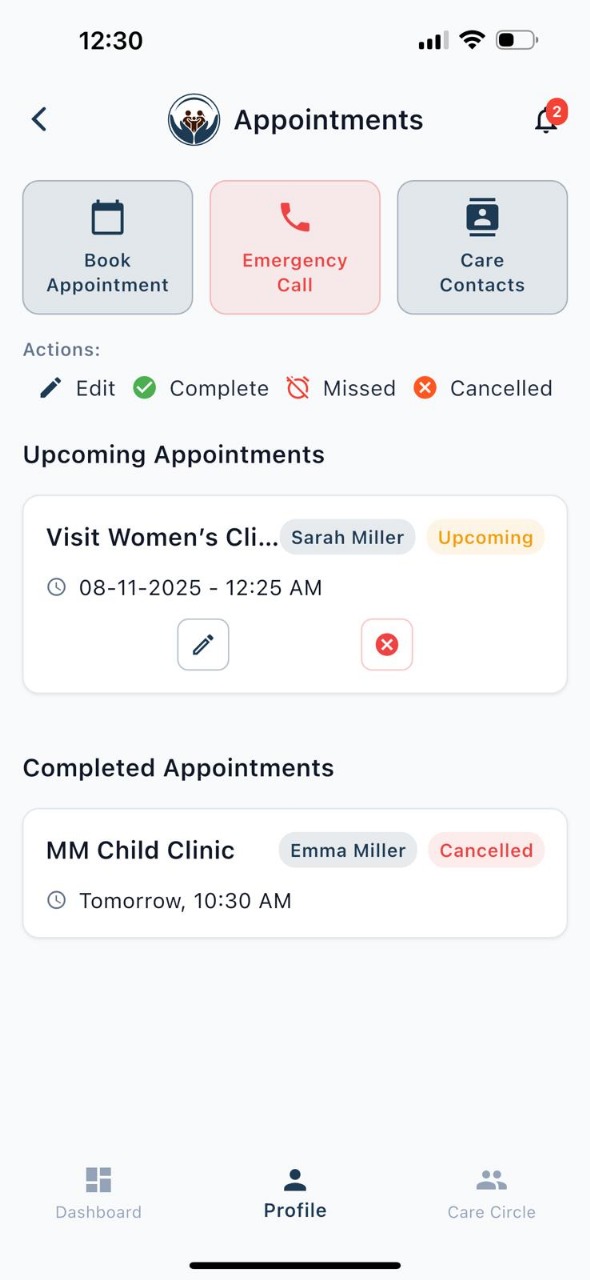
Appointment management
Appointments
Family care circle
Care Circle
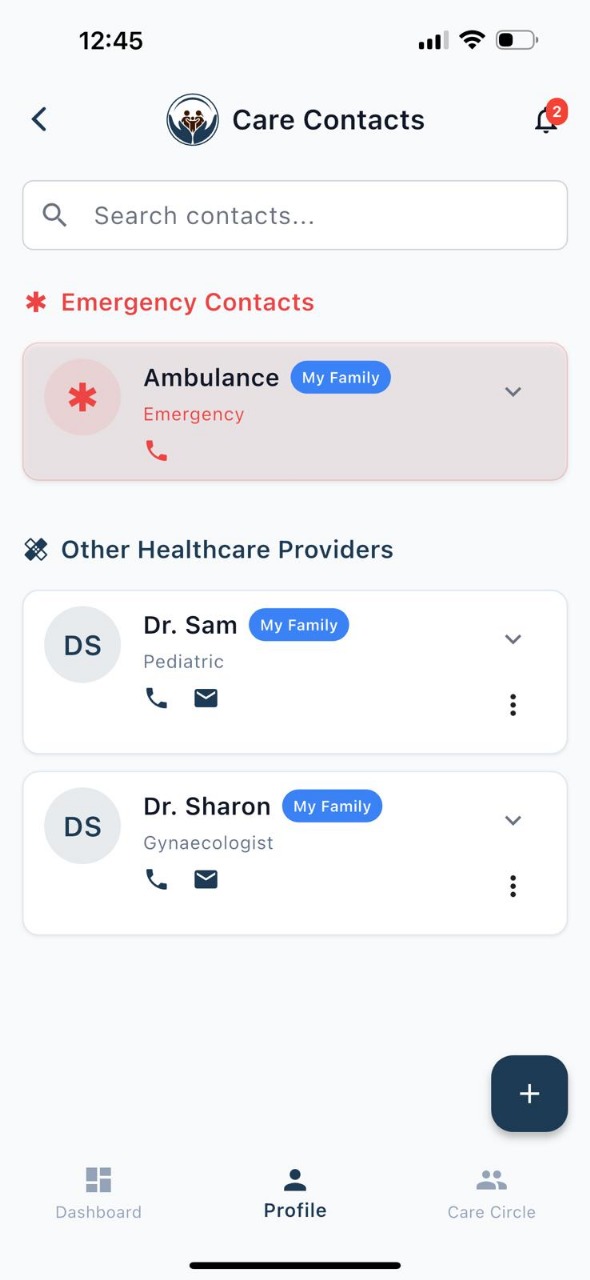
Healthcare contacts directory
Care Contacts
Generate PDF health report
Reports
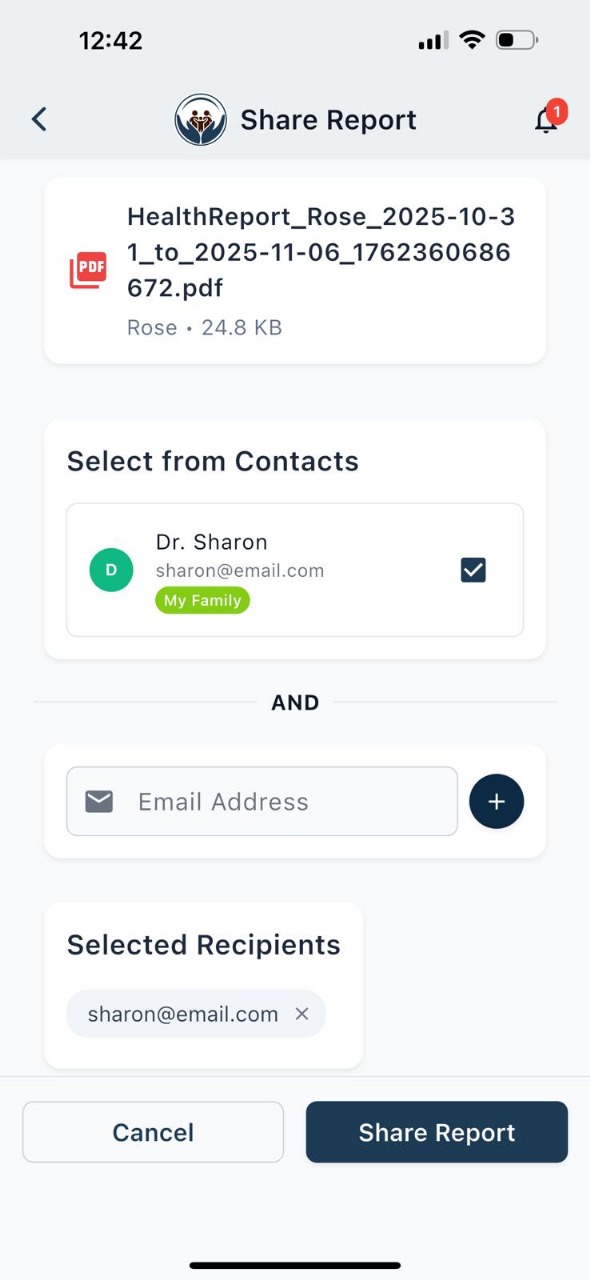
Share health report
Share
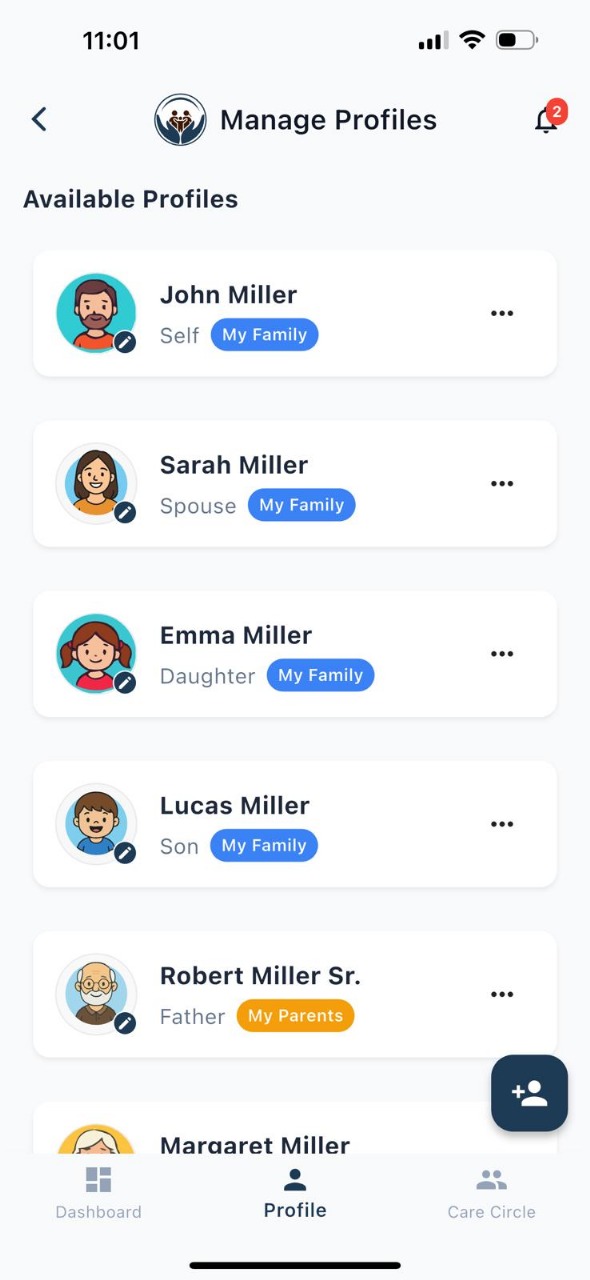
Family member profiles
Profiles
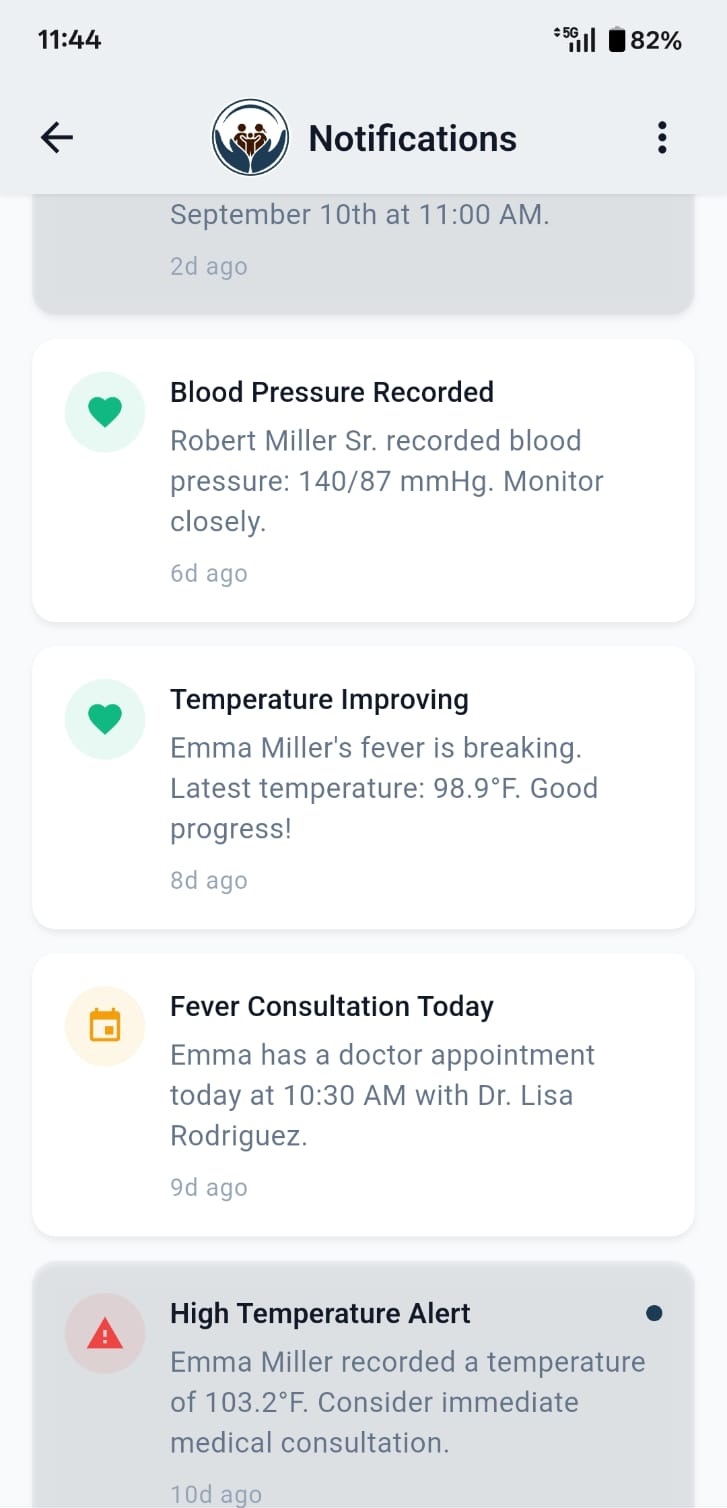
Smart health notifications
Reminders
Real-World Scenario

When Your Child Has a Fever at 2 AM

Sarah’s 5-year-old wakes up with a fever. Here’s how OneCareLog helps:

Logged temperature readings every 2 hours
Tracked medication doses automatically
Shared live updates with grandparents via care circle
Generated a complete fever report for the pediatrician

Result: The doctor had complete fever progression data, leading to faster diagnosis.

Fever trend tracking in OneCareLog
For Families Across Borders

Caring for Family Back Home

Living abroad while your parents are back home? OneCareLog helps you track parents’ health from abroad — keep their lab reports, medications and appointments in one shared family health records app and stay in the loop across time zones and distance.

Real-World Scenario

When Home Is an Ocean Away

Meera works overseas while her parents live back home. Here’s how OneCareLog helps her stay involved:

Uploads a parent’s lab report — the AI lab report reader reads it and drafts every value to review, no typing across the miles
Tracks their medications and appointments so nothing slips between calls
Shares everything with a care circle — siblings, a local caregiver, and the family doctor — across time zones
Helps her manage a smart PDF report to send ahead of a clinic visit back home

One shared record keeps the whole family on the same page — wherever in the world they are.

Track parents health from abroad — share a family health records app and care circle across time zones with OneCareLog
FAQ

Common Questions

Yes, OneCareLog is completely free to download and use on both iOS and Android. All 90+ health tests, custom tests, care circles, dynamic charts, and PDF report generation are available at no cost.

You can create multiple profiles for different family members. Each profile has its own independent health records, medication logs, and trend data.

Yes. OneCareLog uses industry-standard encryption for all health data. Your information is stored on secure cloud servers with strict access controls. Only you and people you invite to your care circle can access your data.

Absolutely. OneCareLog generates smart PDF health reports with dynamic charts for every test you track. Choose which health types to include, preview the report, and share it with healthcare providers via email, messaging apps, or print.

OneCareLog includes 90+ built-in health tests covering blood pressure, blood sugar, temperature, weight, cholesterol, thyroid, liver function, kidney function, and many more. You also get medication autocomplete with 390 bundled medications and appointment tracking. All data is visualized with dynamic trend charts for easy pattern identification.

Yes! If the 90+ built-in tests don’t cover what you need, you can create your own custom tests with a custom name, unit, and value type. Custom tests are private to your profile and work just like built-in tests — complete with charts, stats, and report inclusion.

Yes — upload a PDF, image, or Word lab report and OneCareLog’s AI Lab Report Reader (powered by Gemini) extracts every reading into a draft. You review, edit if needed, and approve each value before it’s saved to the health record. See how it works.

You get a generous free monthly allowance of AI credits for reading lab reports. Uploading a CSV using our template is always free (0 credits, no AI). If a parse fails, the credits are automatically refunded — you’re only charged for readings that actually work.

Yes. Every file you upload is virus-scanned with ClamAV before the AI reads it. Your lab reports and extracted values are stored securely with the same encryption and access controls as the rest of your health data.

Yes. If you live abroad, you can upload a parent’s lab reports for the AI to read, track their medications and appointments, and share everything with a care circle across time zones and distance. It helps you stay involved in your family’s health from anywhere. See how it works.
Download

Get OneCareLog Today

Available for iOS and Android. Free forever.

OneCareLog Google Play QR code

Android

Scan QR or tap below

Google Play
OneCareLog App Store QR code

iOS

Scan QR or tap below

App Store

Your Family’s Health Deserves Better Tracking

Join families who have made health tracking effortless. Download OneCareLog — it’s free.

Download Now